Kafka Topics
What is a topic
A Kafka topic is a core concept in Apache Kafka, serving as a logical channel or category where data streams are organized and managed. Producers write (publish) messages to topics, and consumers read (subscribe) to messages from topics. Topics decouple producers from consumers, enabling scalable and real-time data pipelines
-
Naming: Topics are named to reflect the data they contain, such as temperature_readings or user_activity.
-
Decoupling: Producers and consumers operate independently, using the topic as an intermediary.
-
Retention: Kafka retains messages in a topic for a configurable period (default is 7 days), regardless of whether they have been consumed.
-
Partitions: Each topic is split into one or more partitions. Partitions allow Kafka to scale horizontally and enable parallel processing. Each partition is an ordered, immutable sequence of records, and each record within a partition has a unique offset.
-
Replication: Partitions are replicated across multiple brokers for fault tolerance. Each partition has a leader (handles reads/writes) and followers (replicate data for redundancy).
Topic Overview
In the topic overview page you can get a holistic view of all the topics in you Kafka Cluster.
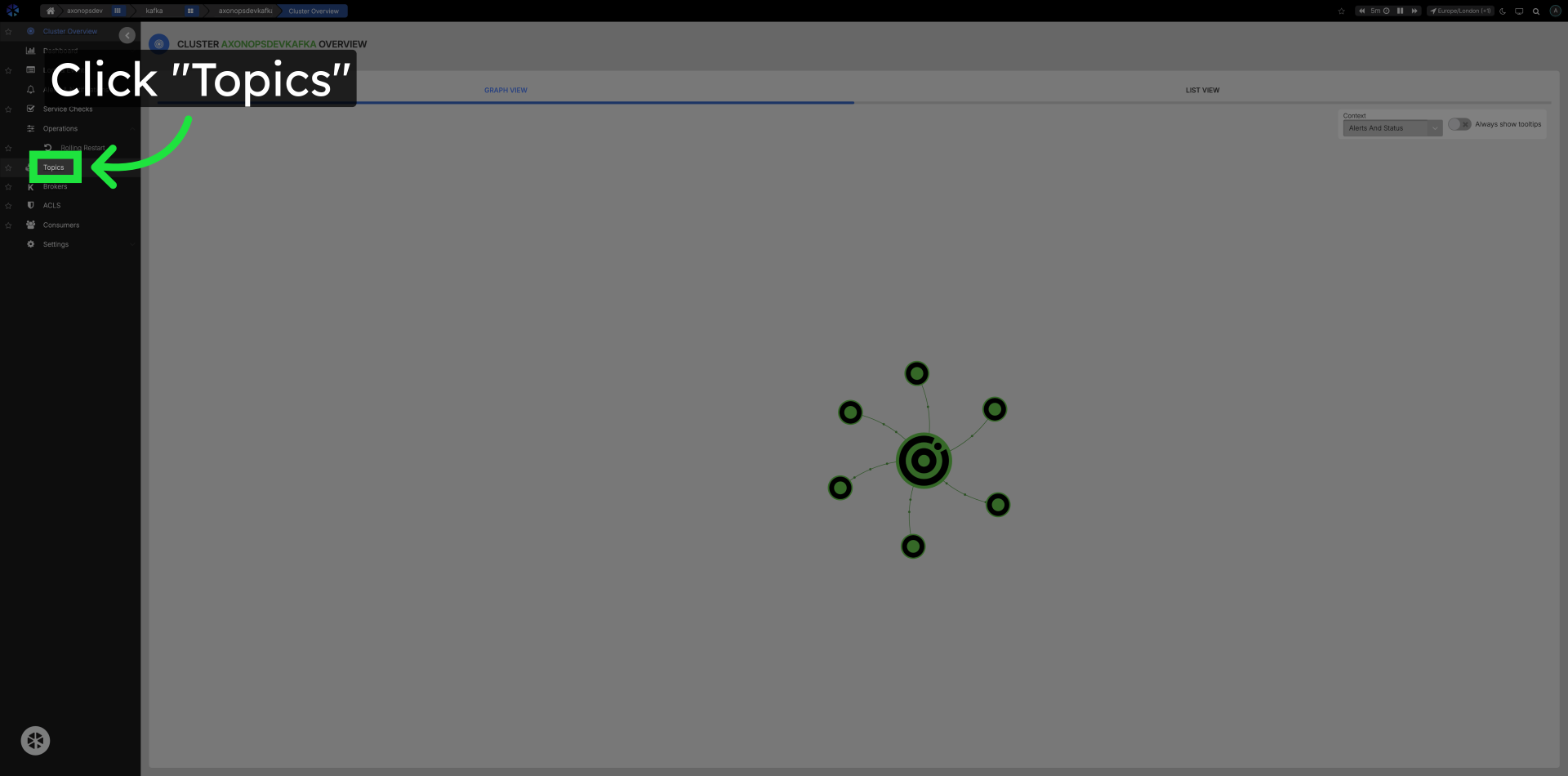
Click Topics in the Left Navigation to open the Overview page.
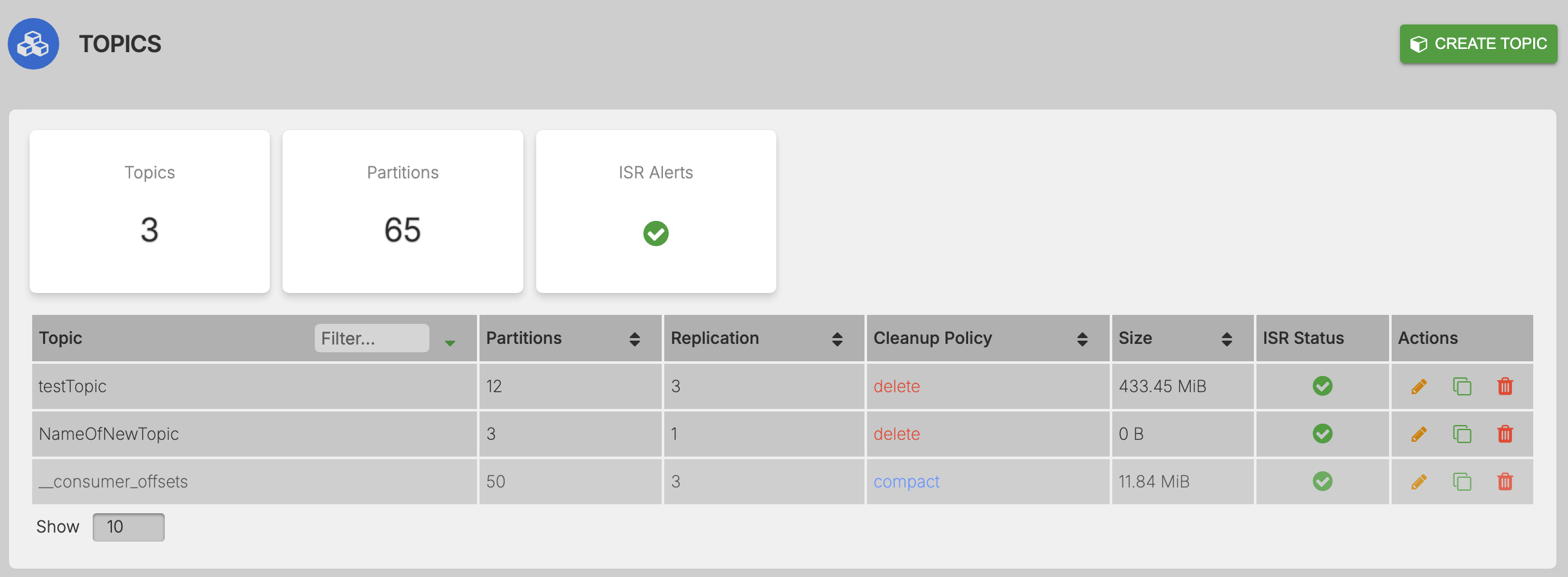
On the overview page interact with topics and topic information relating to Topics, Partitions, ISR(In-Sync Replicas), Alerts, Counters, Sizes and Topic Actions like:
- Edit Topic :
- Clone Topic :
- Delete Topic :
Selected Topic Information
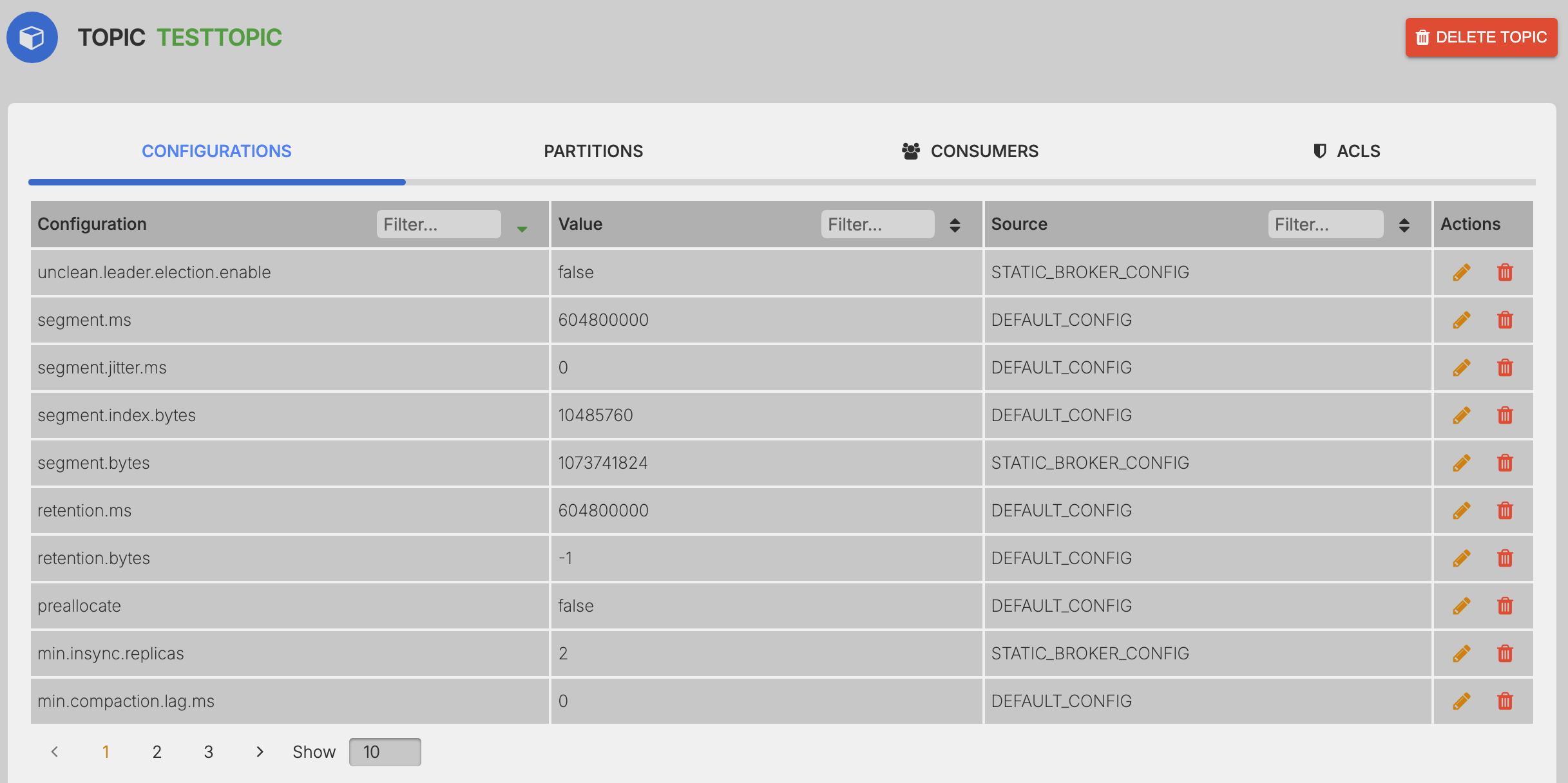
Once a topic has been selected the following information is displayed.
- Configuration - Kafka Topic Configuration Options. To read more about configuration options Click here
- Partitions - View information such as Partition ID, Brokers the Partition resides and offsets.
- Consumers - Current list of consumers that are consuming from the topic.
- ACLs - Current ACLs applied to the Topic. To read more about ACLs Click here